
Applying for a South Korea visa and experiencing uncertainty regarding the subsequent procedures is a common situation. Many applicants, regardless of whether they are intending to travel for tourism, business, or for academic purposes, find the waiting period for visa approval to be a source of anxiety, particularly when unclear about the progress of their application.
Fortunately, South Korea provides a readily accessible online system for monitoring visa application status, thereby minimizing uncertainty. This guide details the process for checking the status of a South Korea visa application, clarifies the meaning of various status updates, and offers guidance on addressing potential delays or difficulties.
Checking Your South Korea Visa Status Online
To monitor the progress of your South Korea visa application, you can utilize the following procedure using your passport details:
Step 1: Navigate to the Korean Visa Portal and select Check Application Status.
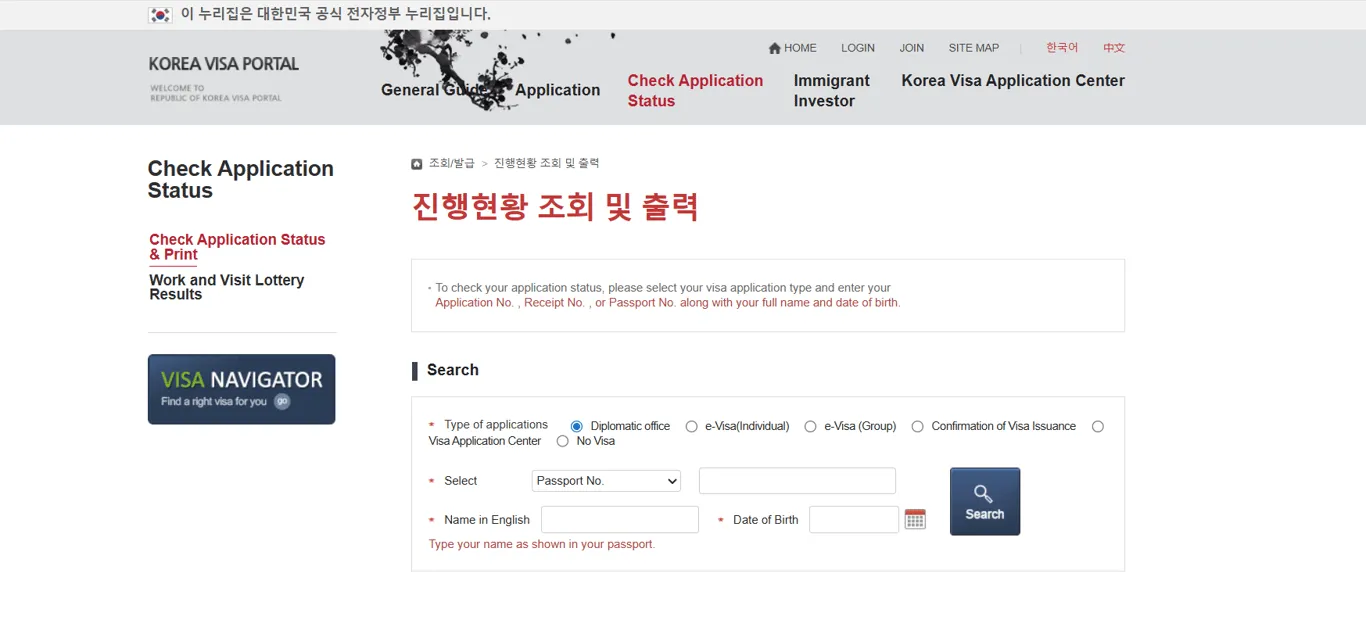
Step 2: Specify the visa type you are tracking and enter the required information, including your Application Number, Passport Number, Full Name, and Date of Birth. It is crucial that this information precisely matches the data you submitted during the initial visa application process.
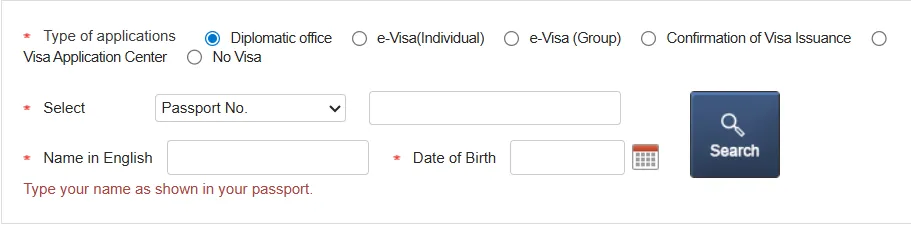
Step 3: Initiate a search by clicking the “Search” button to display the current status of your visa application.
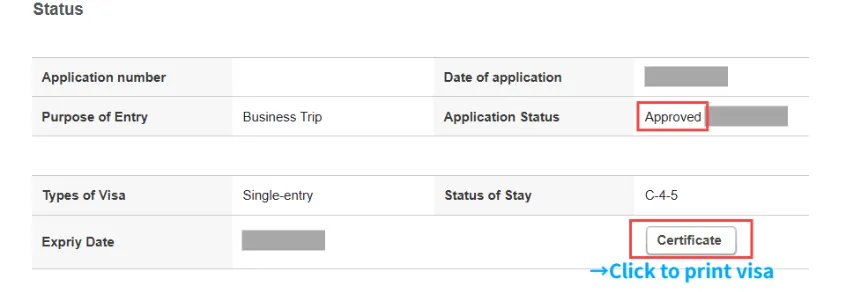
Step 4: The visa status will be displayed at the bottom of the screen. Upon approval, click the ‘Certificate’ button to generate and print your visa certificate.
South Korea Visa Processing Timeline
The timeframe for South Korea visa processing is subject to fluctuation. Typically, applications for short-term tourist or business visas are completed within 4 to 7 business days. Processing durations are influenced by factors such as application demand, observed holidays, and individual applicant details.
What are the methods for receiving my South Korea visa?
Upon approval, you will typically receive an email detailing the process for collecting your visa from the designated embassy or consulate, or instructions on downloading your e-visa if applicable. E-visas are accessible for download via the specified website following approval.
What does the South Korean visa look like?
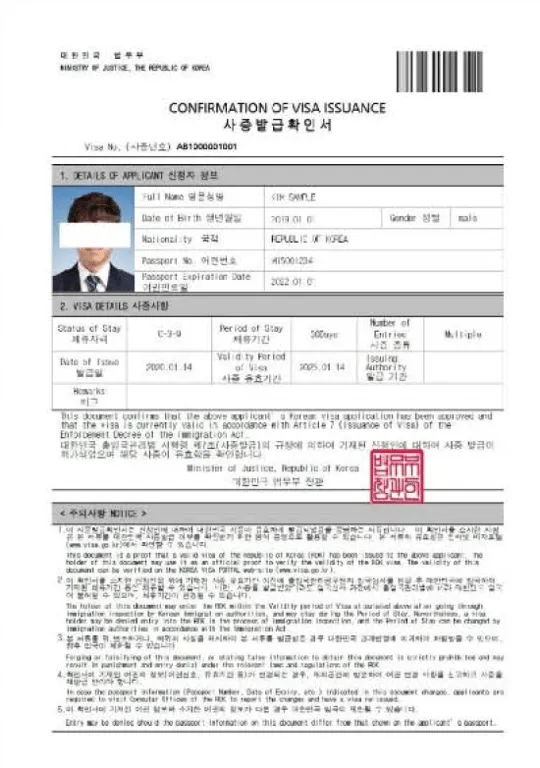
Keeping track of your South Korea visa application is quick and straightforward when you know where to look and what to expect. By following the steps above, you’ll always stay updated on your visa status and can plan your travel with confidence. If you encounter any issues or delays, don’t hesitate to contact the Korean consulate or embassy for assistance.
What details do I need to search?
To facilitate your application, you may utilize search functionality by entering your application number or providing passport details in conjunction with your full name and date of birth, as prompted by the portal or mission.
What happens when my visa is approved?
To activate the “Certificate” button, click it to generate a print-ready copy of your Visa Grant Notice, serving as proof of your visa issuance.
How do I print the Visa Grant Notice?
Upon approval, you may obtain the Visa Grant Notice by utilizing the provided Certificate link on the portal, which allows for downloading or printing. Black-and-white printouts are acceptable for submission.
I can’t find my record—what should I try?
Re-enter details exactly as in your passport (watch out for hyphens/spaces in names). If still missing, contact the relevant Korean mission.